
IPsec Migration from Fortinet Firewall to Huawei USG FW
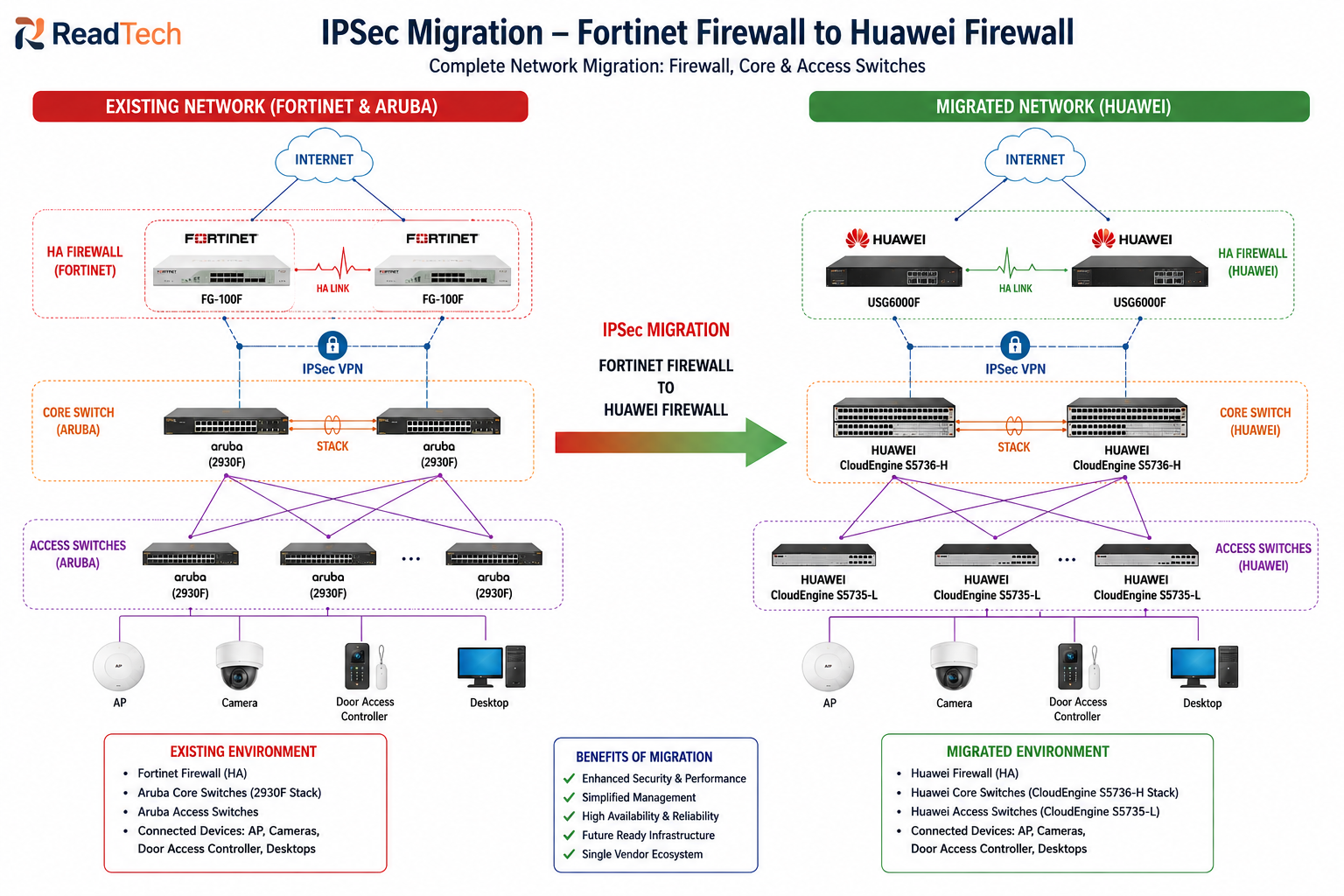
Summary Insights:
- Recently working on one migration project from Aruba switches & Fortinet Firewall to Huawei switches & Firewall, the critical part was the migration of IPsec VPN, which I will explain in this article & key lessons learned at the end.
- Fortinet Firewall IPsec Migration VPN Configurations & Huawei Firewall IPsec Configuration
- This post mainly covers the migration of Fortinet Firewall IPsec to Huawei Firewall, or also useful if you are working on a new project need to configure IPsec VPN.
In today’s post, I will explain IPsec VPN configurations of the Fortinet & Huawei firewall.
If you are working on a migration project from Fortinet to Huawei, or you are configuring a new project of Huawei to configure IPsec VPN to connect multiple branches or a branch with the cloud, then keep reading till the end. For the theoretical concept & Different scenarios of Site-to-Site VPN, here.
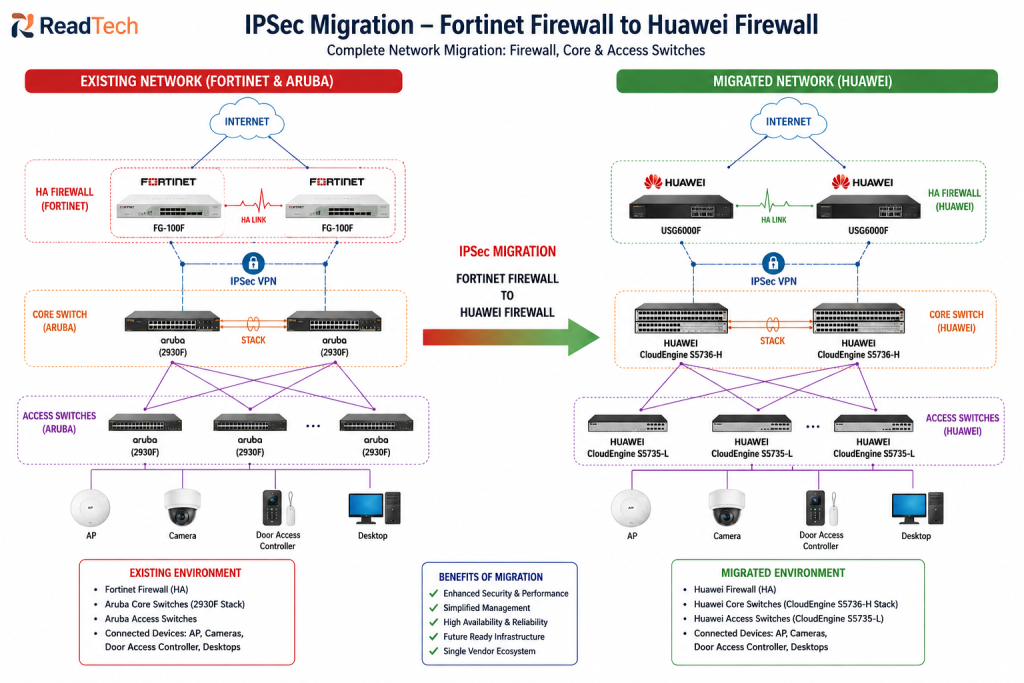
Existing & Migrated Network Design:
I am working on one enterprise project that needs to migrate existing Aruba switches, Fortinet Firewall to Huawei devices. Switches part VLAN & Routing configuration is very easy but in this post i will focus on Firewall IPsec VPN configuration from Fortinet to Huawei Firewall.
Fortinet Firewall IPsec Configuration:
Below screenshot of the IPsec VPN configuration of the Fortinet Firewall
IPsec Tunnel
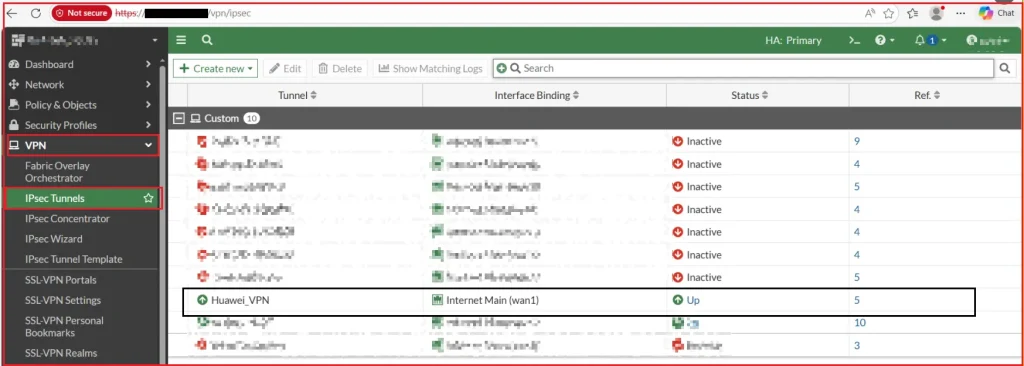
Existing VPN Configuration:
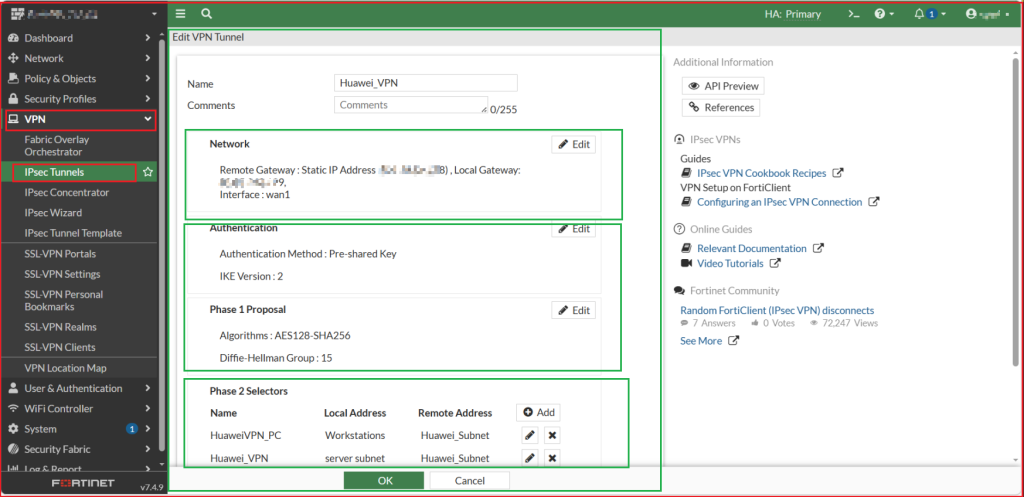
IPsec Network Part:
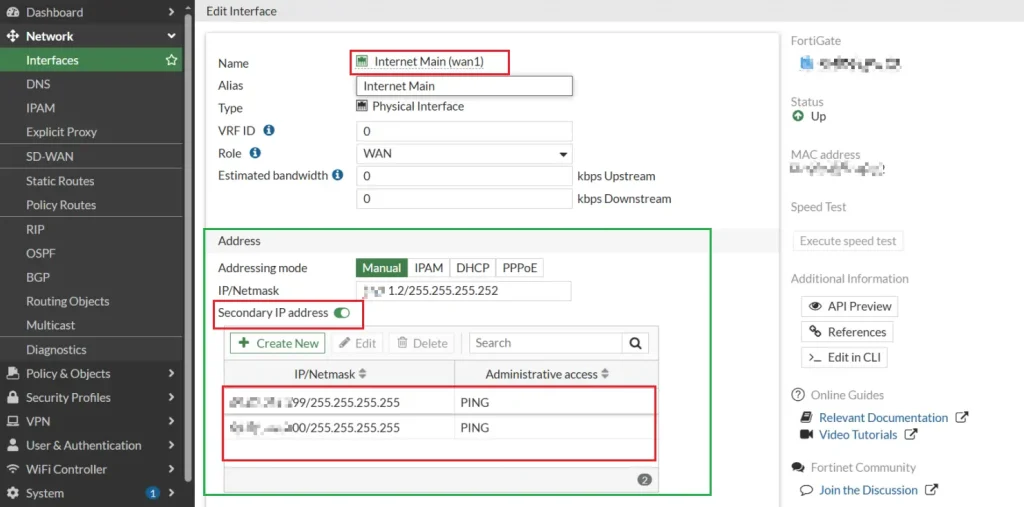
Local gateway is the secondary IP address of the uplink physical port. Keep reading below you will understand.
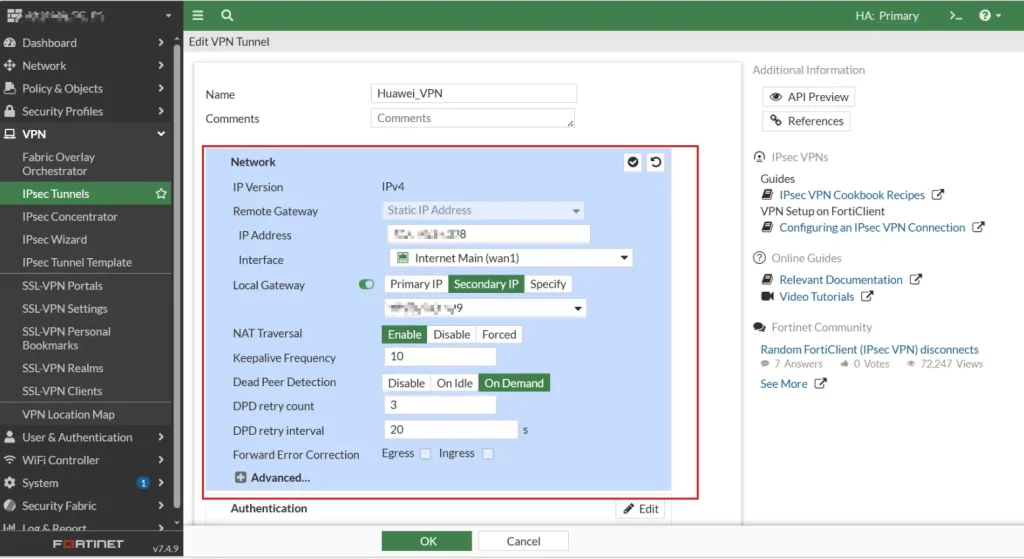
IPsec Phase-1 Configuration
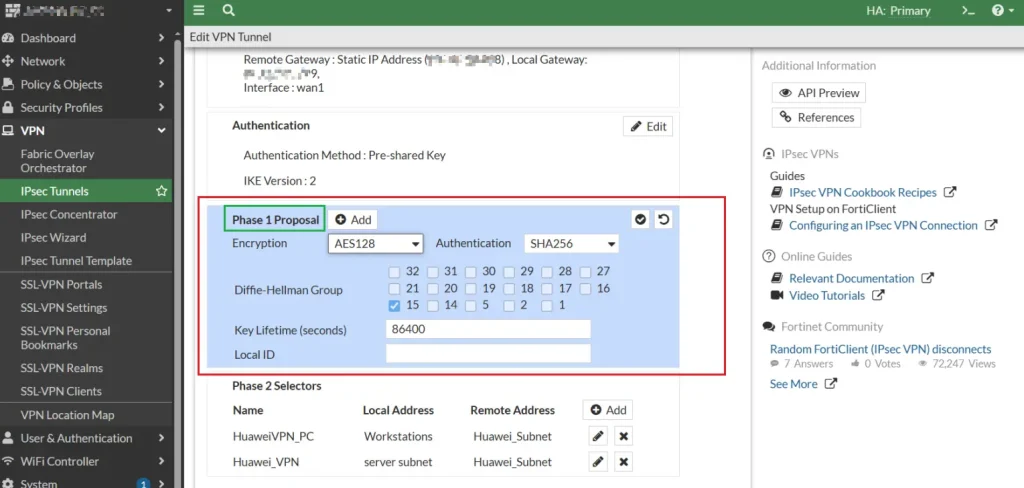
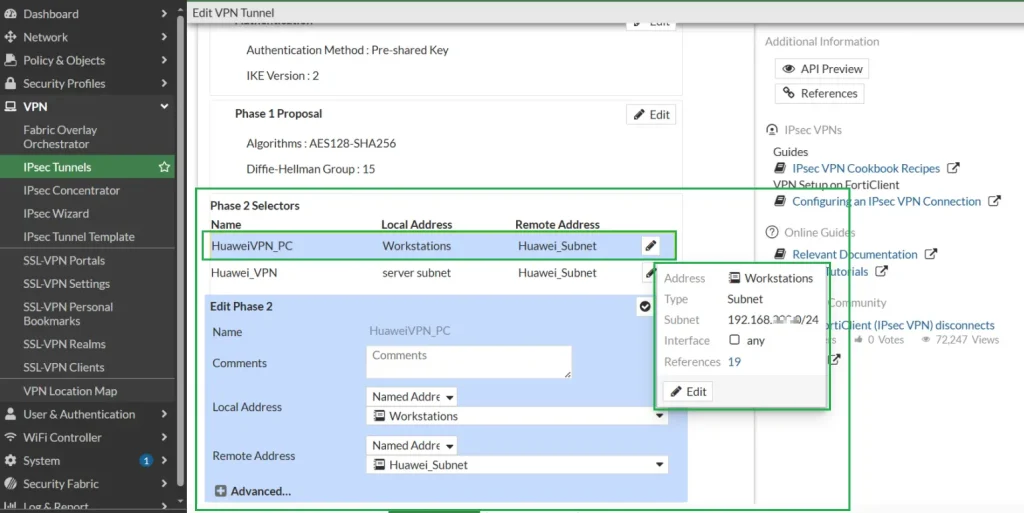
Phase-2 configurations & LAN Local side subnet
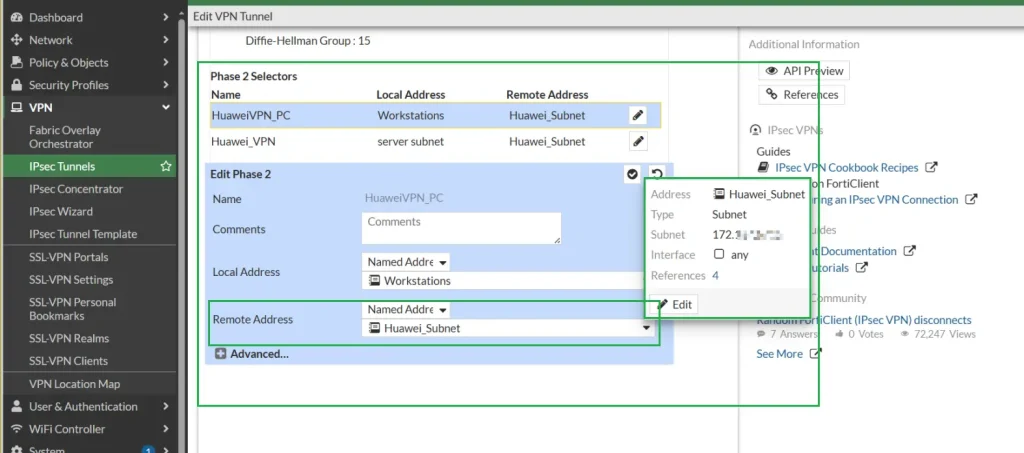
IPsec Phase-2 configurations & Remote Side LAN Subnet
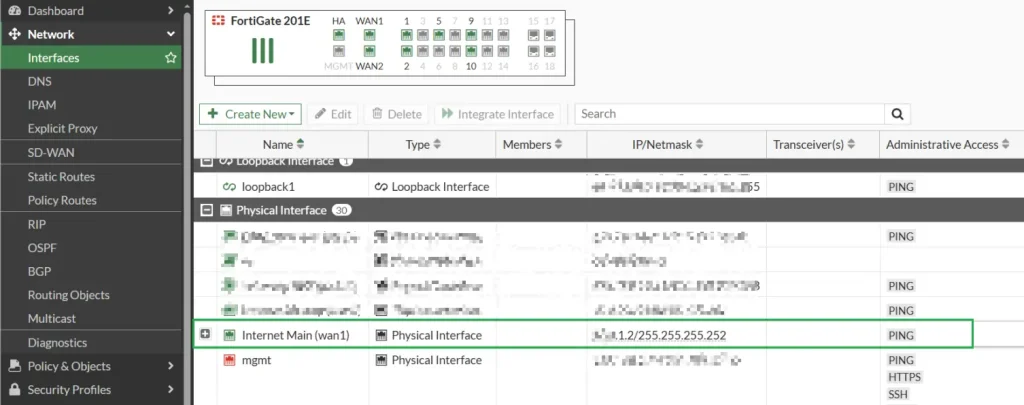
Physical Interface Uplink IP
Secondary IP addresses under the physical port
There will be one question in your mind: why two secondary IP addresses? There are two IPsec VPN tunnels on this port.
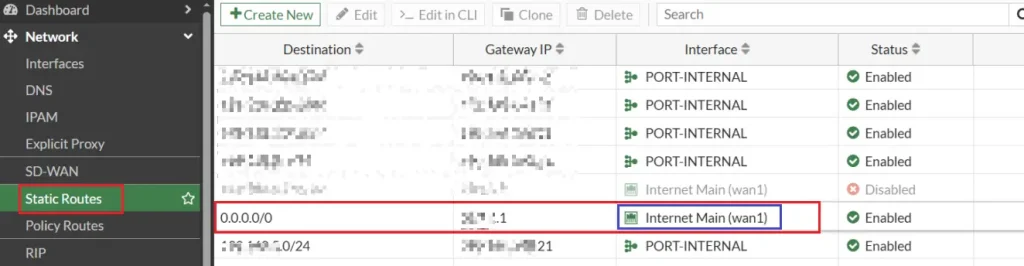
Static Route configured toward the uplink next IP
The above were all IPsec VPN configurations on Fortinet Firewall, now let me migrate this to Huawei & established IPsec.
Huawei Firewall IPsec VPN Configuration
Now, let’s migrate the above Fortinet Firewall configuration to Huawei USG FW. I will show you the configuration part only , for the physical replacement & cable connection, just follow as per the onsite requirements.
First, let me show you the physical and logical port configuration. In Fortinet, there were configured IP addresses on the secondary port, but in Huawei, we will create loopback interfaces as below
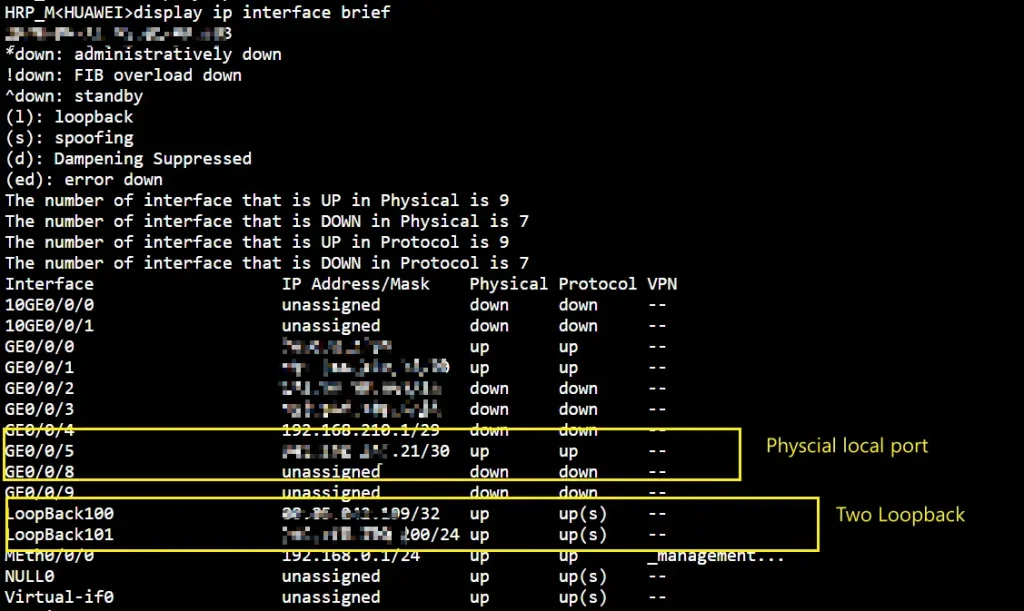
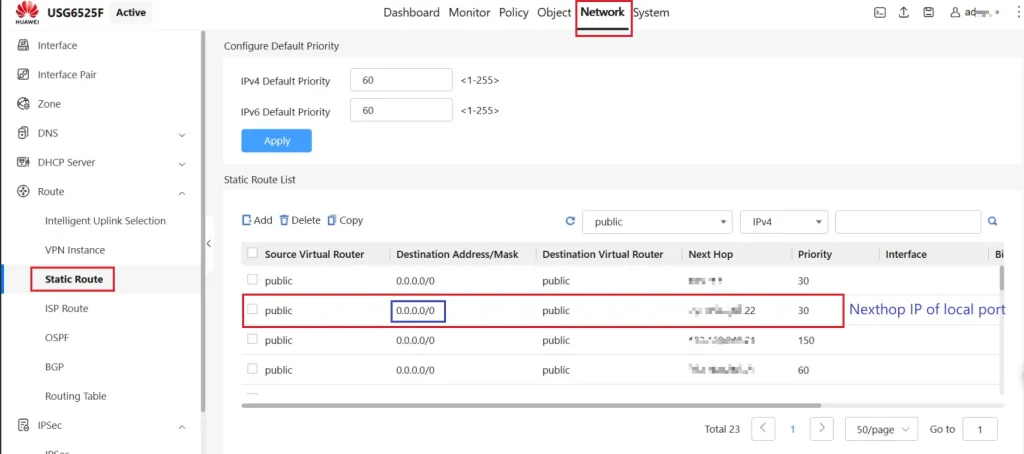
Static route toward the next hop IP of the local port uplink
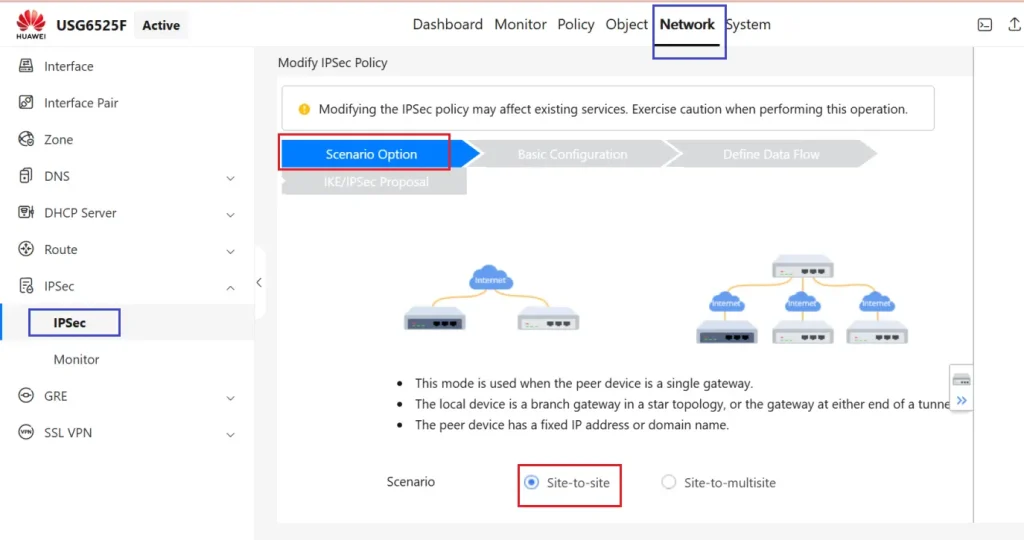
Below is the complete IPsec configuration setup
Choose Scenario Site-to-Site
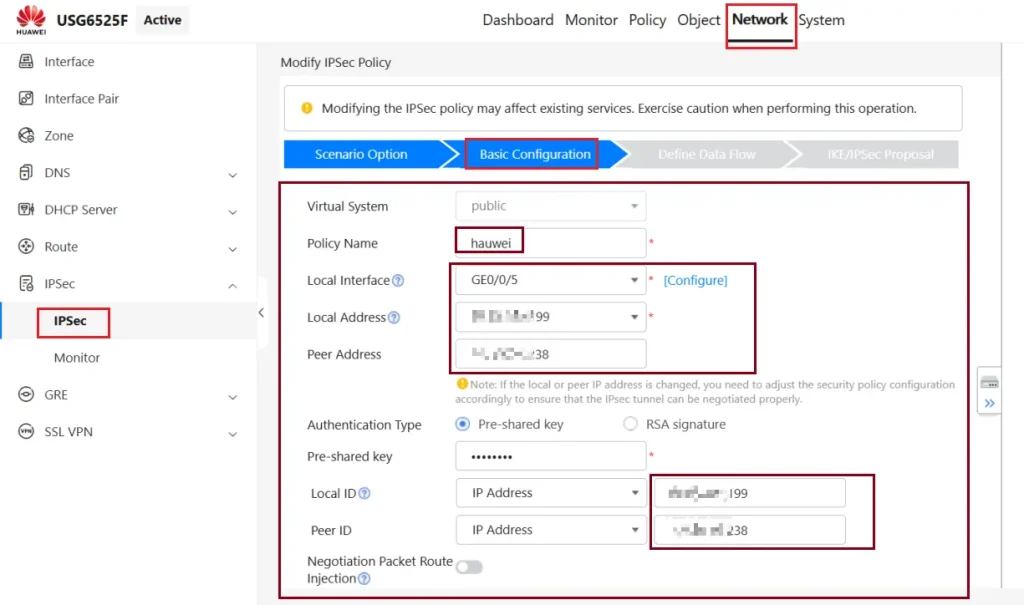
Tunnel Local address(Loopback IP) & peer address (Remote side IP)
Port GE0/0/5 will be in the untrust zone & security policy any any or as per requirement, should be configured.
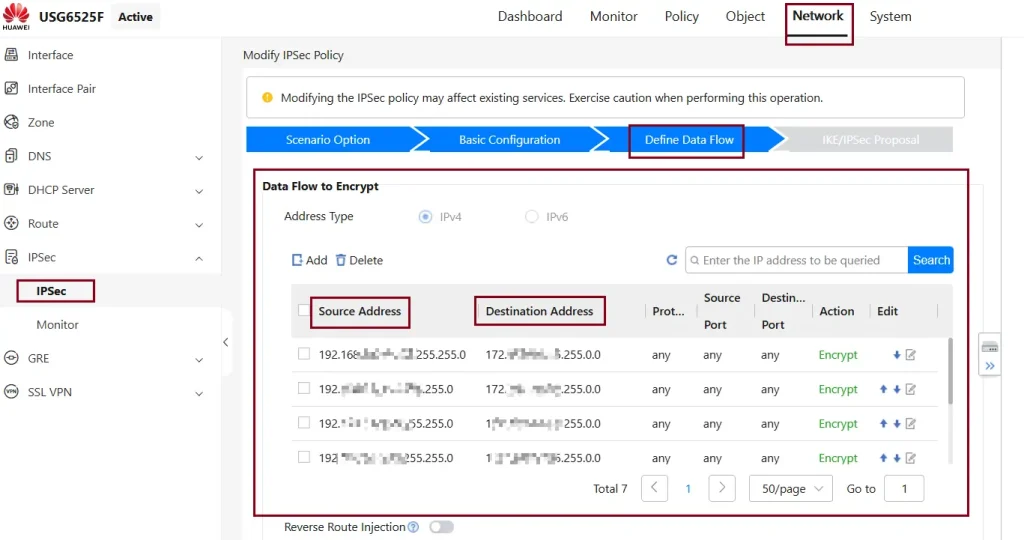
Data flows from the local LAN Side to the remote LAN side subnet, like local user IP addresses
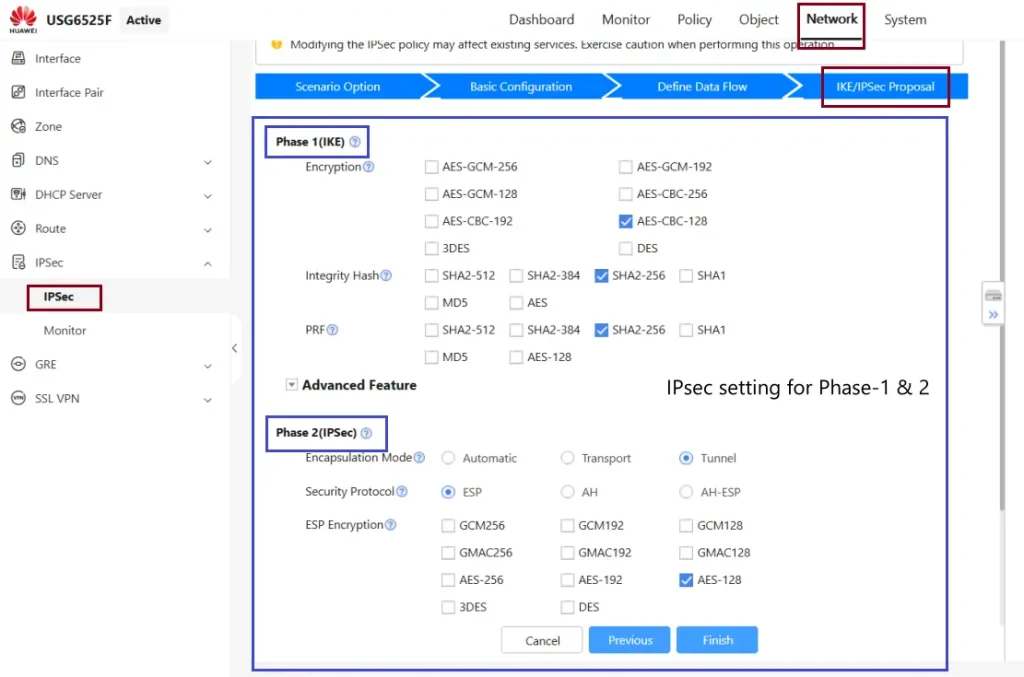
IPsec Phase-1 & 2 complete settings, like Encryption, Hashing & authentication
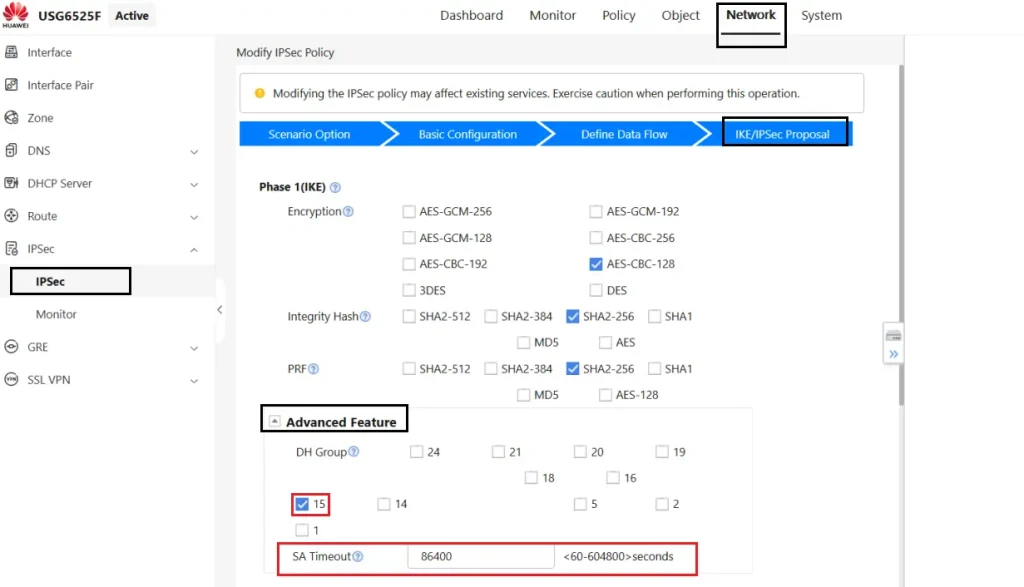
Under Advance setting, the group is 15 & the time is below
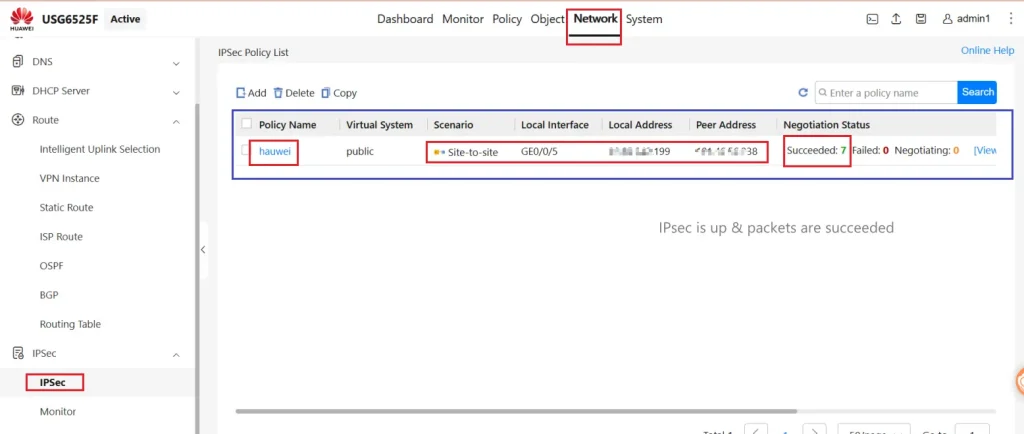
IPsec is up & packets are succeeded
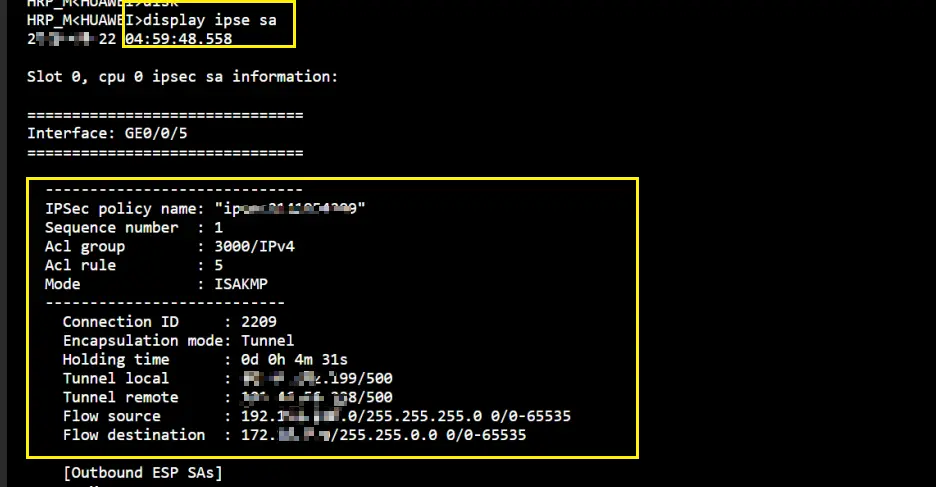
Verify from CLI as well
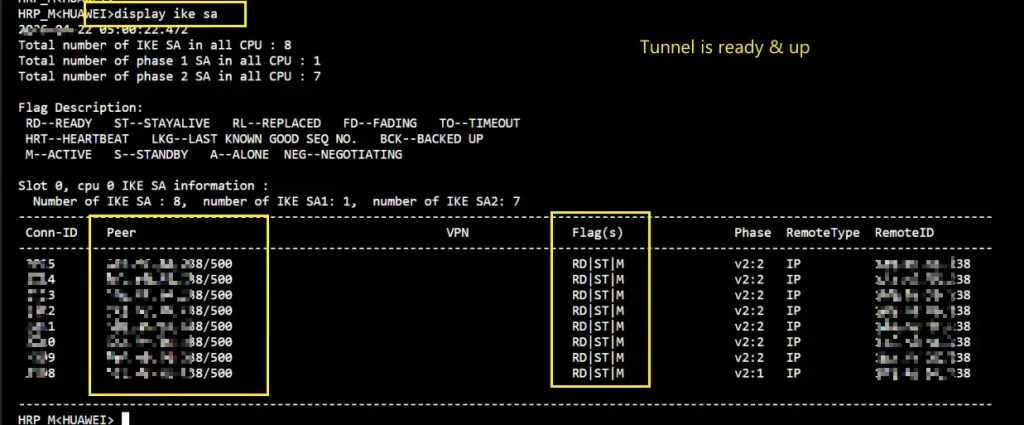
IPsec SA
Key Lesson Learned & Issue Faced During Migration:
Replicated the secondary ip of Fortinet to the sub-interface & vlanif, but not working, then finally, after testing for a few hours, I configured the loopback IP address on the Huawei firewall IPsec VPN up & succeeded.
This was a complete project, but this article only covers the Firewall IPsec part. If you are working on such a type of project, you can share your experience to learn from each other.