
WAN Link Connection Types | MPLS | DIA | 4G/5G | Broadband
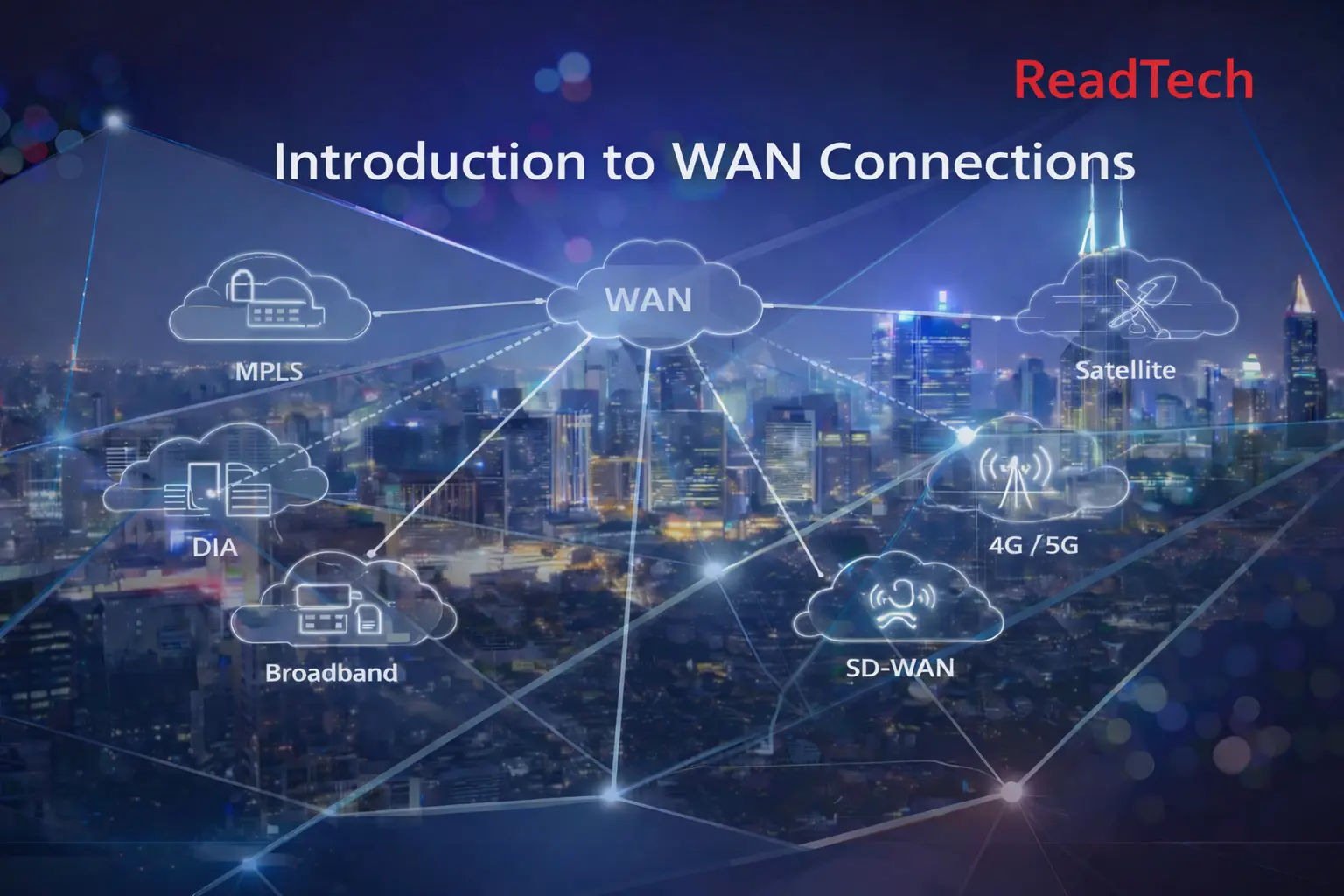
Summary Insights:
- In today’s world, Connectivity of Enterprise, Data Center, Cloud, SDWAN Sites, home user & Branches requires different types of WAN links, i.e., MPLS, DIA, Broadband & 4G/5G, etc., and mostly engineers are mixing all these & confuse, I will clarify all with examples in details.
- In this post will cover difference of ALL WAN connection types.
Below are the questions that will be covered in this post, with examples, Answer of all questions at last of the article.
Below are the WAN Link Types
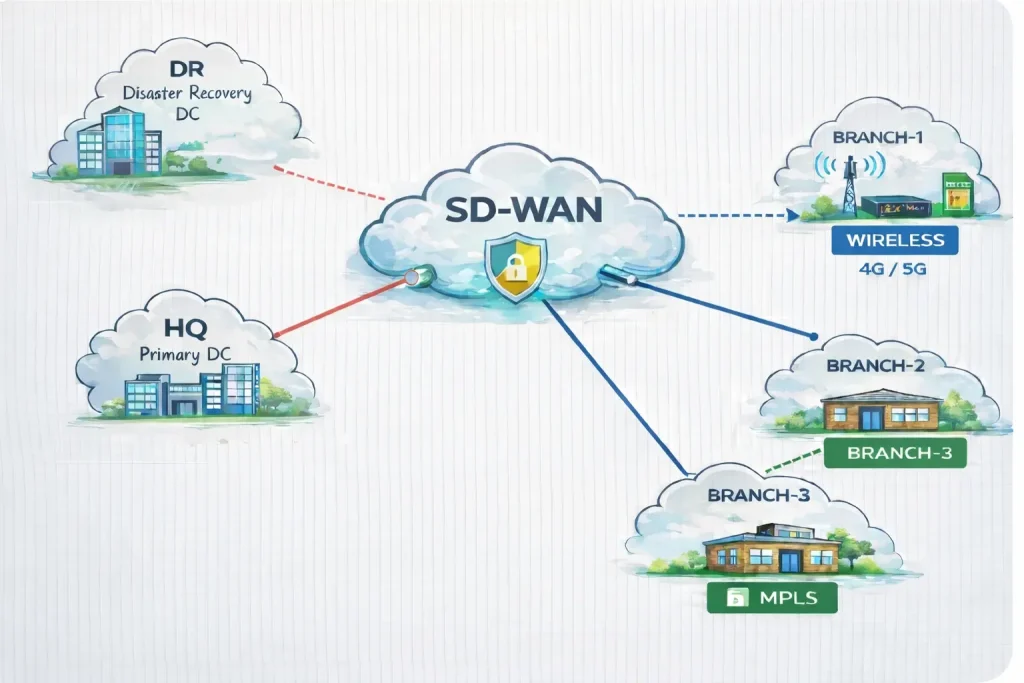
MPLS (Multi-Protocol Label Switching):
Its private network connection & uses MPLS labeling technology instead of IP on the carriers/ISP side.
If you want to connect two branches or SDWAN HQ to a branch, even in different countries internationally can be through an MPLS link.
Characteristics:
- Private Connection
- More Secure
Advantages:
- Guaranteed bandwidth & Excellent quality of service (QoS)
- Private and secure by design (traffic doesn’t traverse public internet)
- Low latency & jitter
- High SLAs typically offering 99.9%+ uptime
Disadvantages:
- Very expensive
- Long provisioning time means its take time to be ready for use after put order
- Less flexible for rapid scaling or changes
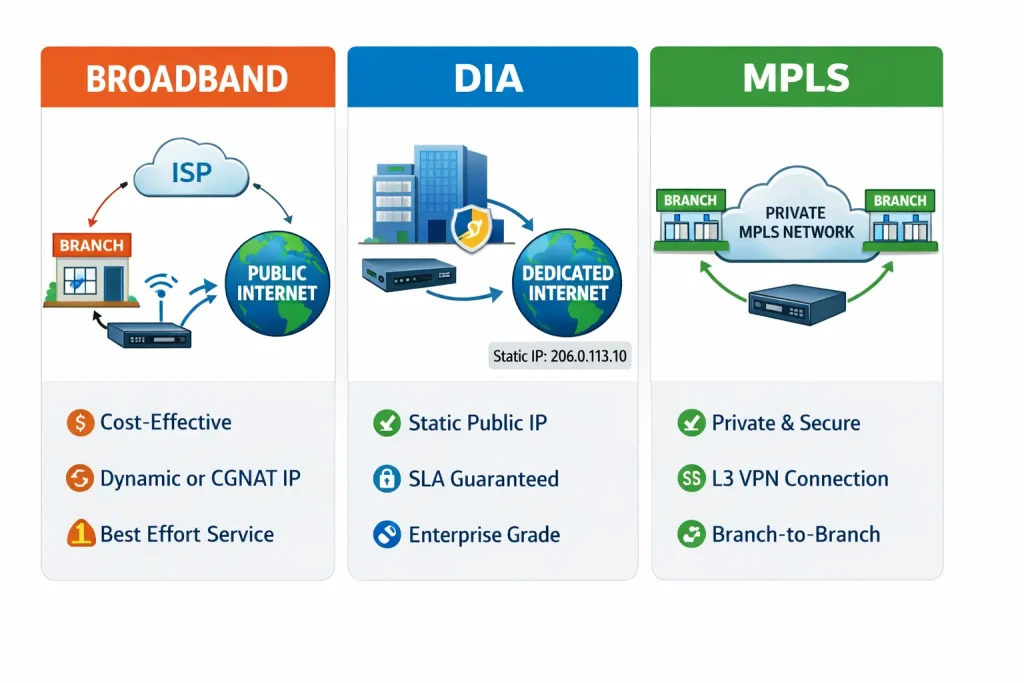
DIA (Dedicated Internet Access):
A dedicated, unshared internet connection with the same upload/download speeds and guaranteed bandwidth, not shared like broadband connections.
Characteristics:
- Public internet
Advantages:
- Guaranteed bandwidth with SLAs
- Static public IP addresses
- Lower latency
- Cheaper than MPLS
Disadvantages:
- Still public internet not private
- More expensive than standard broadband
Internet / Broadband (FTTH, Cable, DSL):
Standard internet connections using cable, DSL, or fiber infrastructure are typically shared among multiple users.
Advantages:
- Very low cost
- Mostly available anywhere
- Fast deployment
- No long-term contracts are often required
Disadvantages:
- Shared bandwidth for multiple users
- Packet loss during peak time
- No performance guarantees or weak SLAs
4G/5G Cellular:
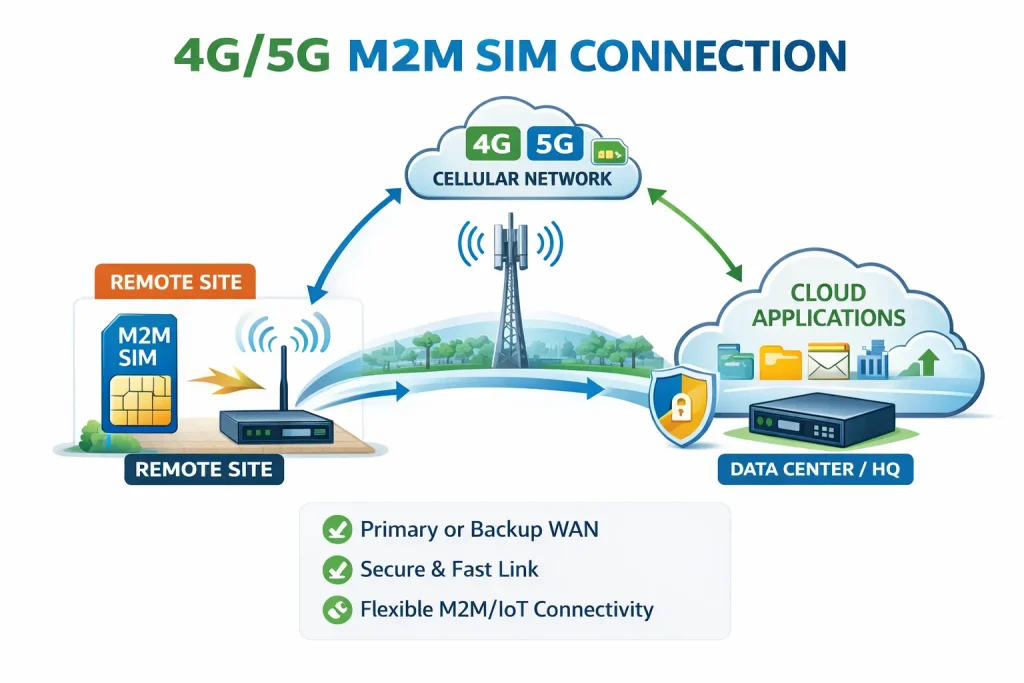
Wireless WAN connectivity using mobile carrier networks.
Advantages:
- Rapid deployment (plug and play)
- No physical infrastructure needed
Disadvantages:
- Variable performance based on signal strength & weather, and environmental conditions
- Higher latency
NOTE:
- There is one other type of connection & rarely used, called Metro Ethernet (MAN / L2 WAN) or Leased Line, which means own fiber laid for special purpose etc and you need to control everything by yourself.
SD-WAN Link:
Some time engineer listen its SD-WAN Link what it actually means,
Not a physical link type but an overlay technology that bonds multiple underlay connections (MPLS, DIA, broadband, LTE) intelligently.still its depend on all the above traditional connections.
Questions with Answer:
1-Is MPLS used to connect branches, not for internet browsing?
MPLS is primarily for private branch-to-branch connectivity, not internet browsing. No direct internet access unless you explicitly add it. It’s possible to add internet in MPLS link, but MPLS bandwidth is expensive – you don’t want to waste it on general internet browsing.
2-Can DIA & other link types be used for the internet?
DIA, broadband, 4G/5G are primarily internet connections.
3-MPLS Connection Between Two Branches – L2 or L3?
It depends on the service type! MPLS providers offer both. In 90% of enterprise cases MPLS L3VPN,
Branch A → PE Router → MPLS Core → PE Router → Branch B
Each branch has its own subnet/IP range,Router at each branch connects to provider’s MPLS network via Layer 3 ,Provider’s routers handle routing between sites ,Branches appear to be on different subnets but can communicate directly
L2 MPLS VPN (Less Common, but exists),Branches see each other at Layer 2 (like they’re on same LAN) Special applications
4-How branches see each other if have connected via DIA ?
Each branch has its own public IP address & Branches CANNOT communicate directly with each other,To connect two branches, we need to add a VPN, Site-to-site IPsec VPN or SD-WAN overlay.
If you want to learn about VPN setup, click here IPsec site-to-site VPN
Branch A ⇄ Internet ⇄ Encrypted Tunnel ⇄ Branch B
The key takeaway:
- MPLS gives you built-in private connectivity. DIA gives you internet. To use DIA for branch connectivity, you must add VPN/SD-WAN on top of it.
5-What about public IP? On each type of WAN Connection?
MPLS connection Typically, no public IPsare provided by default (it’s a private network service)
DIA, you almost always get Static public IP , Normal Internet / Broadband (FTTH, DSL, Cable): Dynamic Public IP, Static Public IP (extra cost), CGNAT (very common You do NOT get a real public IP, 4G/ LTE Usually NO real public IP, Use CGNAT, we can request Static public APN, private APN
6-What is an APN in 4G/5G Wireless Network?
APN = Access Point Name
its represents Which network should this SIM connect to inside the mobile operator?
APN is like a “gateway name” that tells the cellular network:
- Which network to connect to
- What type of IP addressing to use
- What services/features are available
7-Types of APNs in Wireless Networks?
Public/Internet APN (Default),Default APN on most SIM cards. You get internet access, usually via CGNAT.
Static Public IP APN:
A Static Public APN gives your SIM: Provides dedicated static public IP, Must be specifically requested and paid for, best for Site-to-site IPsec, SD-WAN hub/spoke
Private APN
A Private APN connects SIMs , Completely separate private network, Creates isolated cellular network for enterprise, most expensive, Perfect for M2M / IoT / banks
8-What is an M2M SIM?
M2M = Machine-to-Machine, SIM card designed for devices, not humans, Industrial-grade SIM for devices/IoT.
9-What does CGNAT actually mean?
CGNAT = Carrier-Grade NAT (It’s NAT on top of NAT, second layer of NAT).
Your ISP performs NAT inside their network, not on your router.Why CGNAT exists, IPv4 shortage, ISPs cannot give every customer a public IP, Share ONE public IP among hundreds/thousands of customers, Special CGNAT IP Range is 100.64.0.0/10 (RFC 6598), Reserved specifically for carrier-grade NAT.
10-Is 100.x.x.x Public or Private? if it’s already private, why do we need NAT?
100.64.0.0/10 is a special-purpose address block reserved only for CGNAT and still NAT required for LAN address hiding, Overlapping IPs etc.