Service Route in Palo Alto | Role based authentication | Running & Candidate configurations | Backup configurations

Summary Insights:
- In our series of Network Security from Basic to advanced theories & practical discussion, today is below target
Interview Questions:
- What is the Service route in Palo Alto?
- service route configuration palo alto?
- How to create a user in Palo Alto
- Role-based access control Palo Alto Networks?
- How to back up configuration files in Palo Alto
- How many types of configurations file are in Palo Alto?
- Running Vs candidate configurations
- What is candidate configuration?
Below queries will be covered:
- What is the Services Route & how to configure it
- Role base user management, authentication & creating users to assign rights, etc.
- Running & candidate configurations
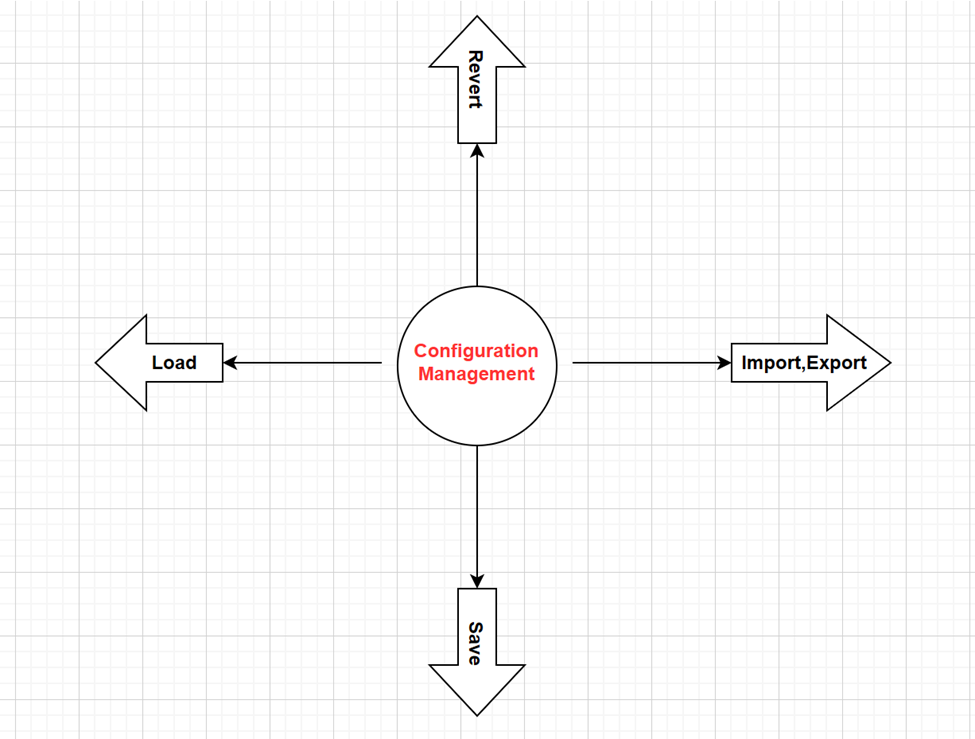
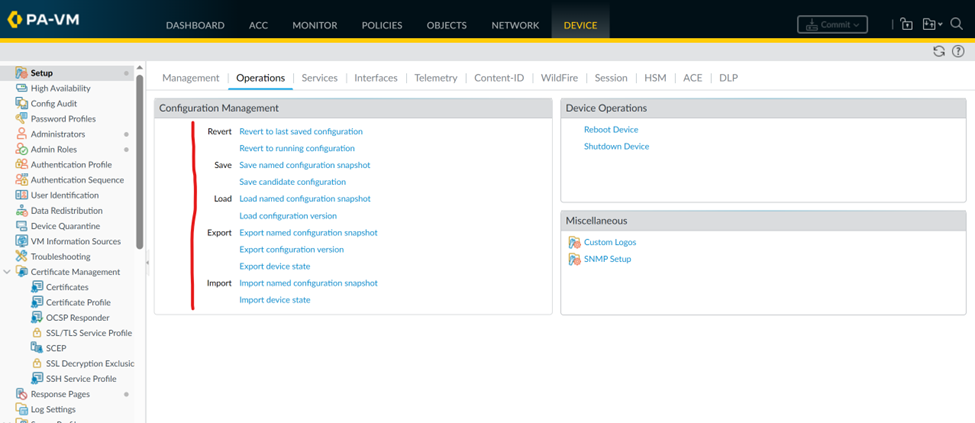
- Configuration Management
What is Service Route in Palo Alto & how to configure?
By default, the Palo Alto firewall uses a management port as Out-of-Band (OOB) for different services like Version update/downloading, different signatures, patch updates, user verification through AD & for Network management Panorama, etc. However, in some practical scenarios due to limitations, different types of servers are not reachable through the management port but it’s reachable through in-band (IB) Data interfaces. For this issue need to configure a service route for interaction between Firewall & servers to communicate through Data interfaces.
Below are the steps to configure the service route. Keep checking my next posts I will show service route configurations in Active Directory (AD) integration LAB.
Device tab on top right > Setup àService > click on Service route config > then customize > select required services & configure Data ethernet interface on which want communication with a server.
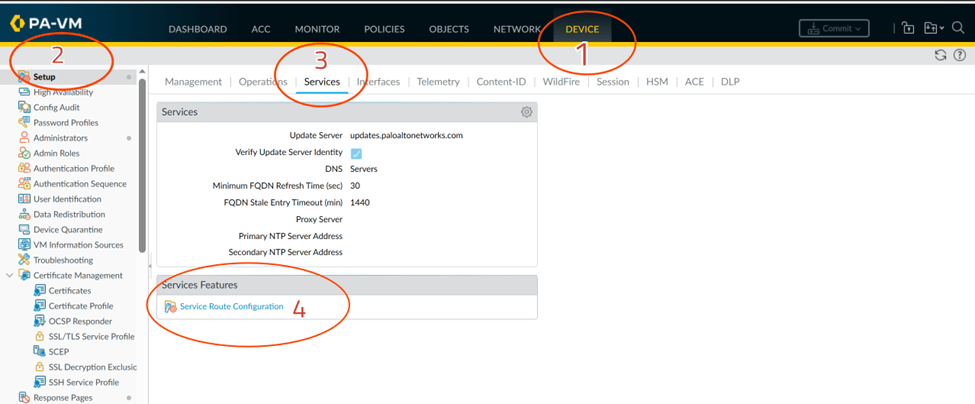
Click on service route configurations below Services Features
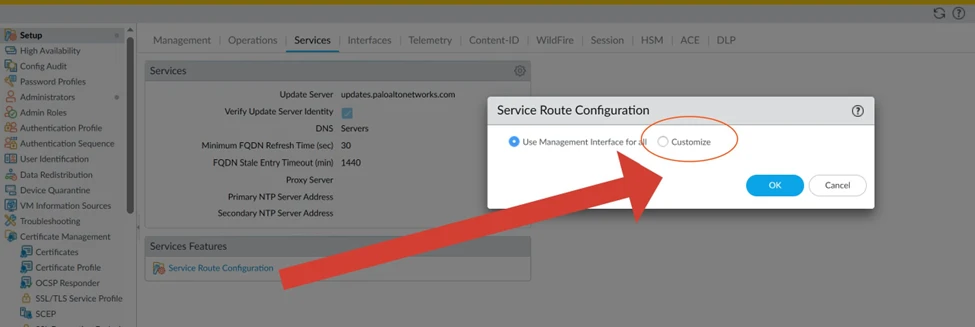
After clicking on Customize below menu will be opened for different services
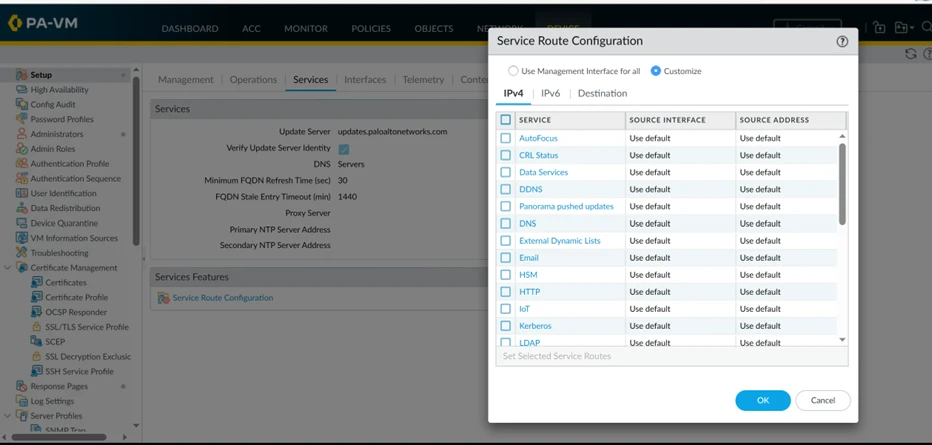
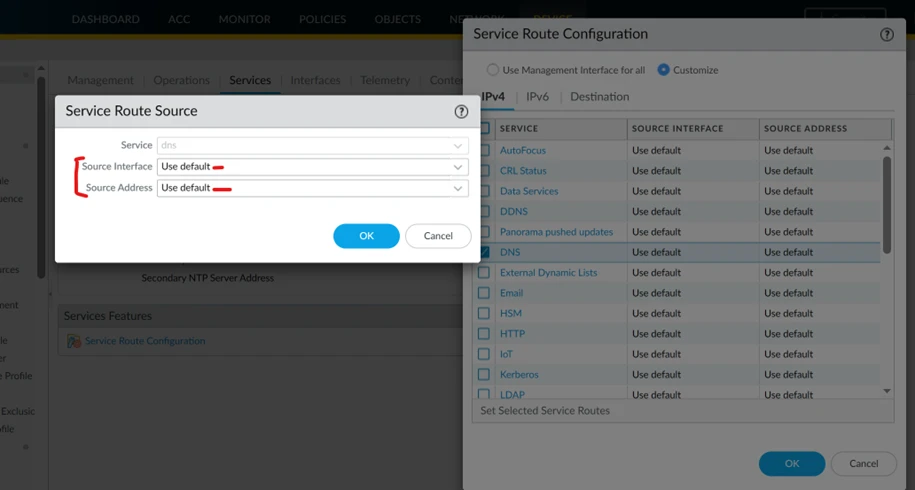
Select required services & fill in the source interface & address then ok
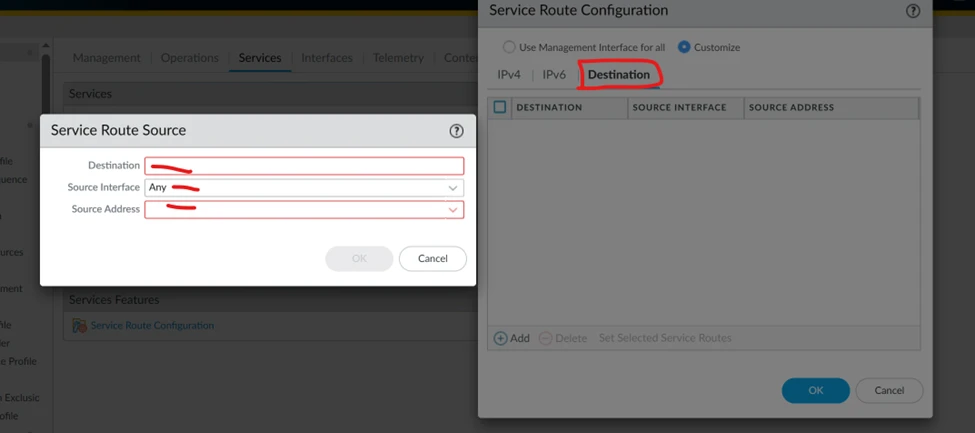
Some services are not available in the database of the firewall & then add the destination address of that server manually but clicking on the destination tab below.
In this way, the service route will be configured for communication between Firewall & servers without a management port.
Role-based User management & authentication to access the firewall? create different users & assign rights as per requirement.
Role-based user creation is in the local database of the firewall, not the active directory (AD), we will create users & assign rights as per user position.
Create username & password on Palo Alto firewall for team members
By default, the Palo Alto Graphical interface consists of seven menus on the top

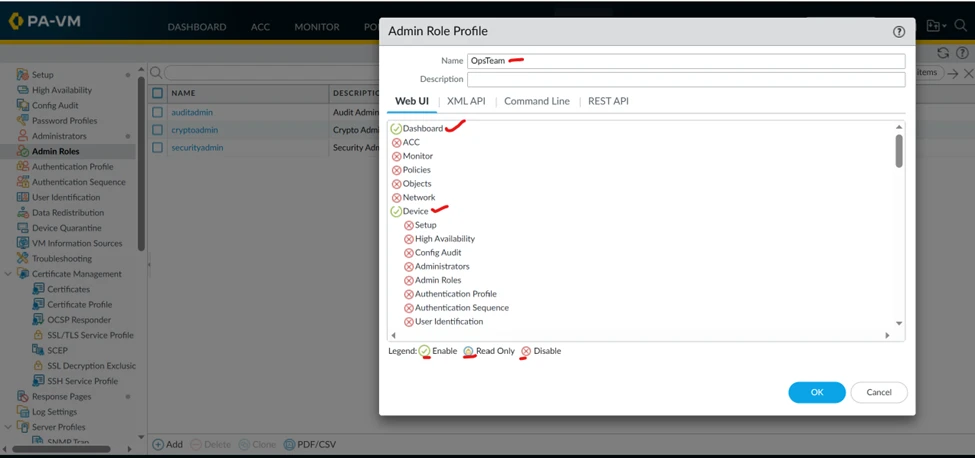
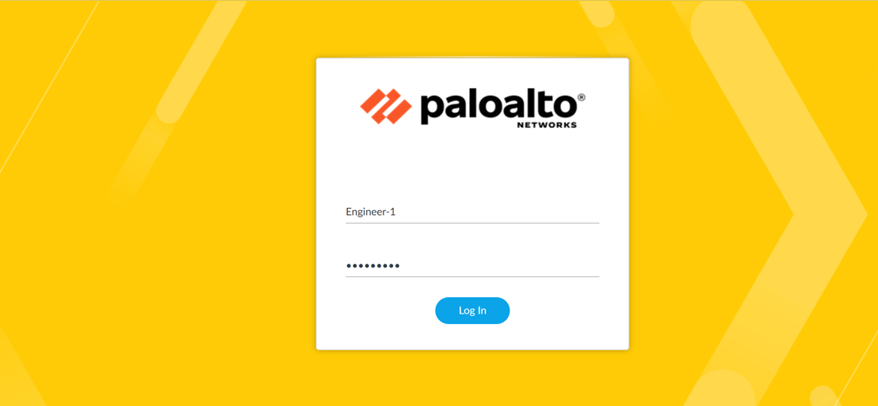
Now create one Role named OpsTeam & user name Engineer-1 then associate the role with a user whom Engineer-1 can see only Dashboard & Device menu.
Click Device tab à Admin Roles à then Add new role
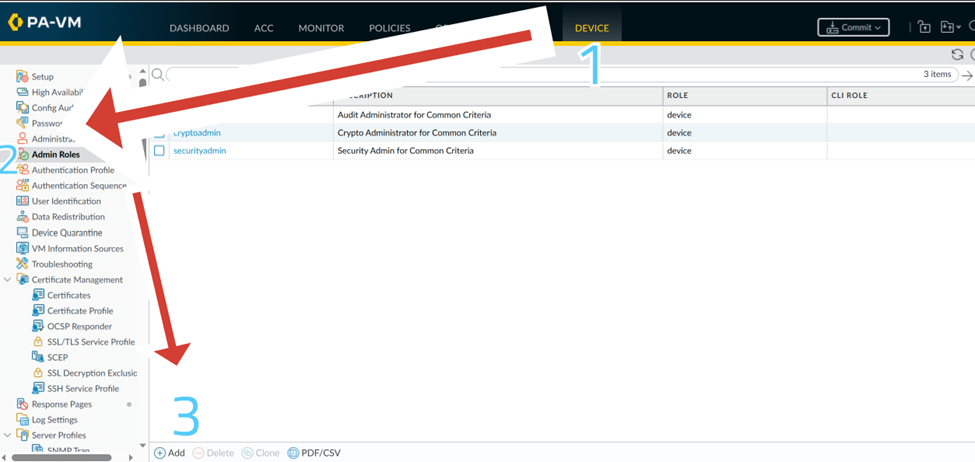
Disable all options except Dashboard & Device as below
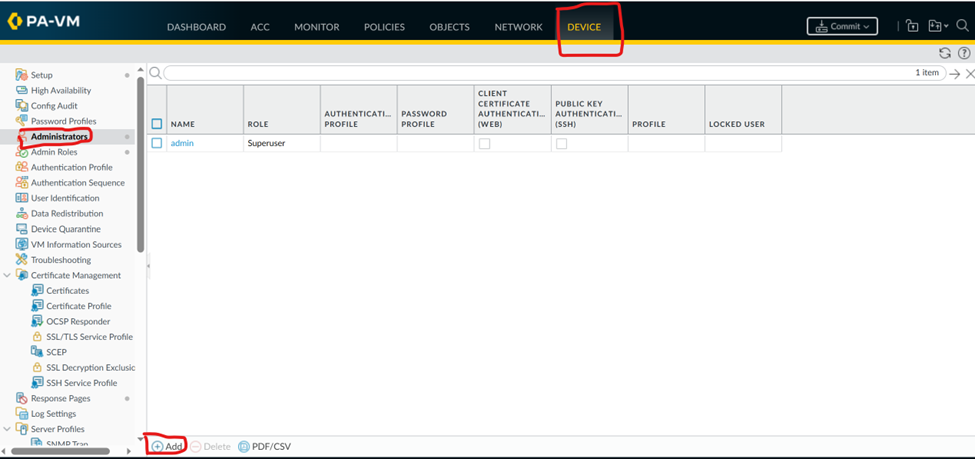
Now create a user from the administrator option under the device tab same as the role click on add
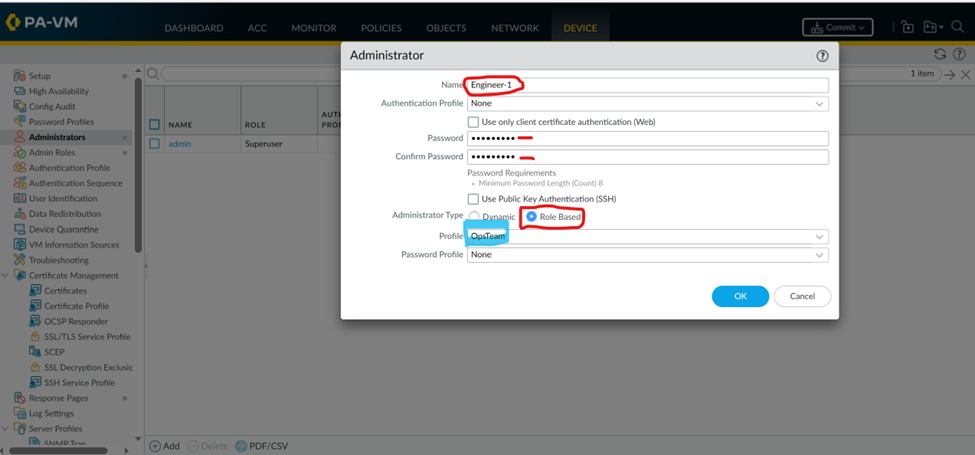
Give a name in our case is Engineer-1, set the password & click role Based then select the profile we created above OpsTeam
Commit & logout from the bottom left corner & login with the Engineer-1 user
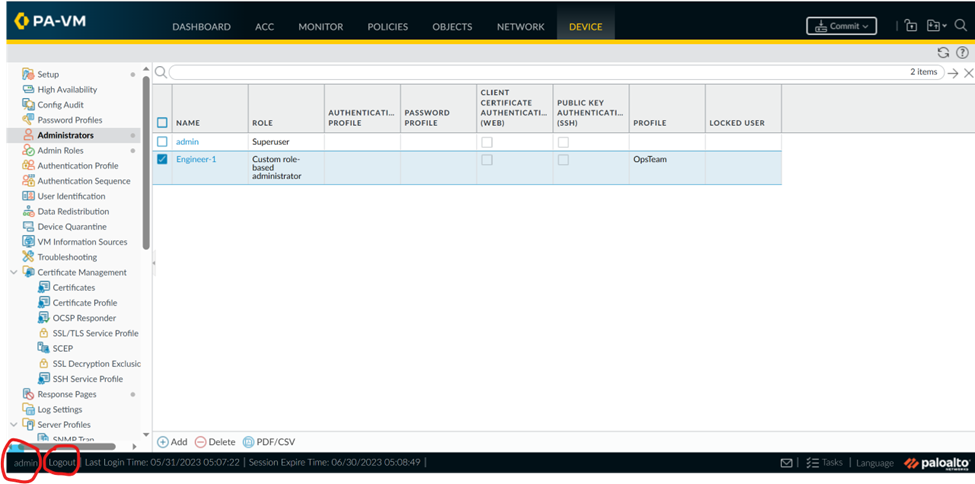
Above is logged in with admin user & below is log in with Engineer-1 user
This is just one example we can create a role for different purposes.

Running & candidate configurations:
The save & active configurations are called Running configurations & the configuration we execute but not commit/saved means inactive called candidate configurations.
There are different types of configuration files in Palo Alto But will explain the purpose & difference in any other post.